Get out, check in, and win prizes by exploring the Trailways!
Love trails? With the Trailblazer Adventure Pass, you can get rewarded by exploring all you love about the Indy region!
- Get out and explore the 18 Premier Trails across Central Indiana.
- Check in with your free digital pass to earn points.
- Win prizes like trail logo stickers, our subway-style Trailways poster, or a Trailways t-shirt.
- The pass is free and doesn’t require you to download any app!
- Valid April 20 – October 31, 2026
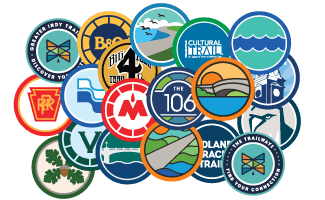
Trailway Stickers
These durable 2 inch weather resistant vinyl stickers are perfect for water bottles, laptops, and anything else you want to show your love for your favorite trail. Available for 17 trails as well as two versions of the main Trailways logo.
100 points each
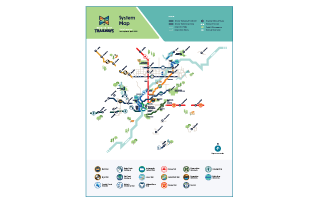
Trailways Subway Poster
Celebrate the trail network with this 18″ × 24″ Greater Indy Trailways subway-style map poster. Featuring a clear and colorful overview of trails across the Indy region.
800 points
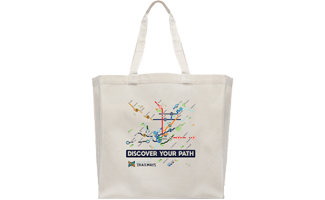
Trailways Subway Tote
Like the poster but made to-go, this 14″ x 16″ cotton tote is perfect for carrying everyday essentials while showing off your love for trails. Durable, lightweight, and ready for your next adventure, on or off the trail.
1,000 points
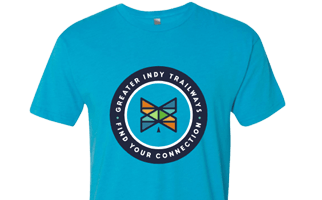
Trailways T-Shirt
Show your support for Indy’s trail network with this comfortable Greater Indy Trailways t-shirt. Made from a super-soft tri-blend fabric, the shirt combines polyester, cotton, and rayon to create a lightweight and breathable feel that’s perfect for everyday wear or your next trail adventure.
1,000 points
Frequently Asked Questions
How do I sign up?
Scroll back to the top of the page and click on the “sign up” button.
How do I find my pass?
Once you sign up, you’ll receive a link to your pass via text message and/or email. This link is your pass: there is no app to download. For convenience, in your phone’s browser, click the three dots (more) menu and choose to “Add to Home screen” to put an icon on your phone’s screen for easy access in the future. You can also bookmark it in your phone’s browser.
How do I check in?
When you’re at one of the designated locations in the pass, you’ll just open the pass in your browser, allow it to access your GPS location, and check in.
I'm getting errors about location services or validating my location.
You’ll need to allow the pass, which is just your browser, to use precise GPS location. The first time you visit the pass it will ask and you’ll want to allow. If you accidentally do not allow it, how to re-enable location varies by phone and browser. You can reach out to support in the pass for phone-specific advice, or follow these general instructions.
Safari on iPhone
- In the Safari address bar, click the puzzle piece looking icon.
Click on the three dots (more) at the bottom right corner. - Tap on Location and choose either Ask or Allow.
Chrome on iPhone
- Open the main settings on your phone
- Tap on “Privacy & Security” and then “Location Services”
- Scroll down and find Chrome.
- Choose either “while using the app” or “ask next time.”
- Revisit the pass website in Chrome and it should prompt you again to allow access.
Chrome on Android
- In Chrome, tap the padlock or the two lines with two circles icon on the left side of the address bar.
- Tap “Permissions” and either reset or tap “Location” and allow access.
How many points do I get?
You’ll earn 100 points for each check-in location.
How do I get my prizes?
In your pass you’ll click on the “Rewards” button to browse the available prizes. If you have enough points, you’ll be able to click on the “Claim Now” button. As long as you’ve provided us your mailing address we’ll mail the prizes to you. We do this at least monthly.
How long does this pass last?
You can earn rewards April through October 31, 2026, and you’ll be able to redeem them until November 30, 2026. Any unredeemed rewards left after that time expire.
Are prizes limited?
Yes. You are limited to redeeming each reward only once. Also, rewards have limited quantities and are only available while supplies last.
I'm having problems!
Oh no! In your pass you’ll be able to reach out to support for help. Note that trail locations will not be able to provide any assistance with the pass. We can’t provide technical support, but if you have any other questions you can also reach out to us at [email protected].